
Executive Summary
Higgsfield.ai vs InVideo 2026: Which AI Video Tool Is Better for Professional Content?
In 2026, “AI video” is no longer a single category. The gap between tools built for cinematic storytelling and tools built for fast, scalable content production has never been wider — and choosing the wrong one can mean wasted credits, frustrating results, and a mismatched workflow.
Two platforms sit at the very top of their respective lanes: Higgsfield.ai and InVideo AI. Higgsfield dominates the cinematic AI filmmaking space with Cinema Studio 2.5 — the only platform that simulates real optical physics and director-level camera control. InVideo leads the script-to-video and content production space with its powerful v4 Agent, capable of turning a single text prompt into a fully edited video up to 30 minutes long.
Both tools are featured in our curated All-in-One AI Video collection, and both offer access to frontier models like Kling 3.0, Sora 2, and Google Veo 3.1. But they serve very different creators with very different goals.
Quick Verdict at a Glance
- Choose Higgsfield.ai if you are a filmmaker, director, or premium content creator who needs cinematic-quality footage with precise camera control and multi-model flexibility.
- Choose InVideo if you are a marketer, YouTuber, or agency that needs to produce polished, long-form videos fast from scripts, URLs, or prompts at scale.
Detailed Comparison Table (2026 Data)
| Category | Higgsfield.ai | InVideo | Winner |
|---|---|---|---|
| Core Strength | Cinematic AI Filmmaking | Script-to-Video Production | — |
| Camera Control | Excellent — Cinema Studio 2.5 with optical physics | Basic — Auto-cut and scene logic | Higgsfield |
| Multi-Model Access | Yes — Kling 3.0, Sora 2, Veo 3.1, + more | Yes — Sora 2 Pro, Veo 3.1, Kling 3.0, 200+ | InVideo (breadth) |
| Long-Form Video | Up to 4–5 min cinematic clips | Up to 30 min fully edited video | InVideo |
| Editing Suite | Basic trim & export | Full real-time editor (swap clips, VO, text) | InVideo |
| Character Consistency | Excellent — Soul ID + Photodump | Limited — Prompt-based only | Higgsfield |
| Lip-Sync / Avatar | Yes — LipSync Studio + Kling Avatars 2.0 | Limited — No dedicated avatar system | Higgsfield |
| Workflow Speed | Moderate — Precise but requires setup | Fast — Prompt to full video in minutes | InVideo |
| Credit Burn Rate | High — Cinematic renders are expensive | High — Frontier models burn fast | Tie |
| Pricing (Annual) | From $17/month | From $25/month | Higgsfield |
| Best For | Filmmakers, Directors, Brand Storytellers | Marketers, YouTubers, Agencies | — |
Key Features Side-by-Side
Higgsfield.ai: The Cinematic Control Room
As detailed in our Higgsfield.ai Expert Review, the platform’s defining advantage is the level of directorial control it gives to creators:
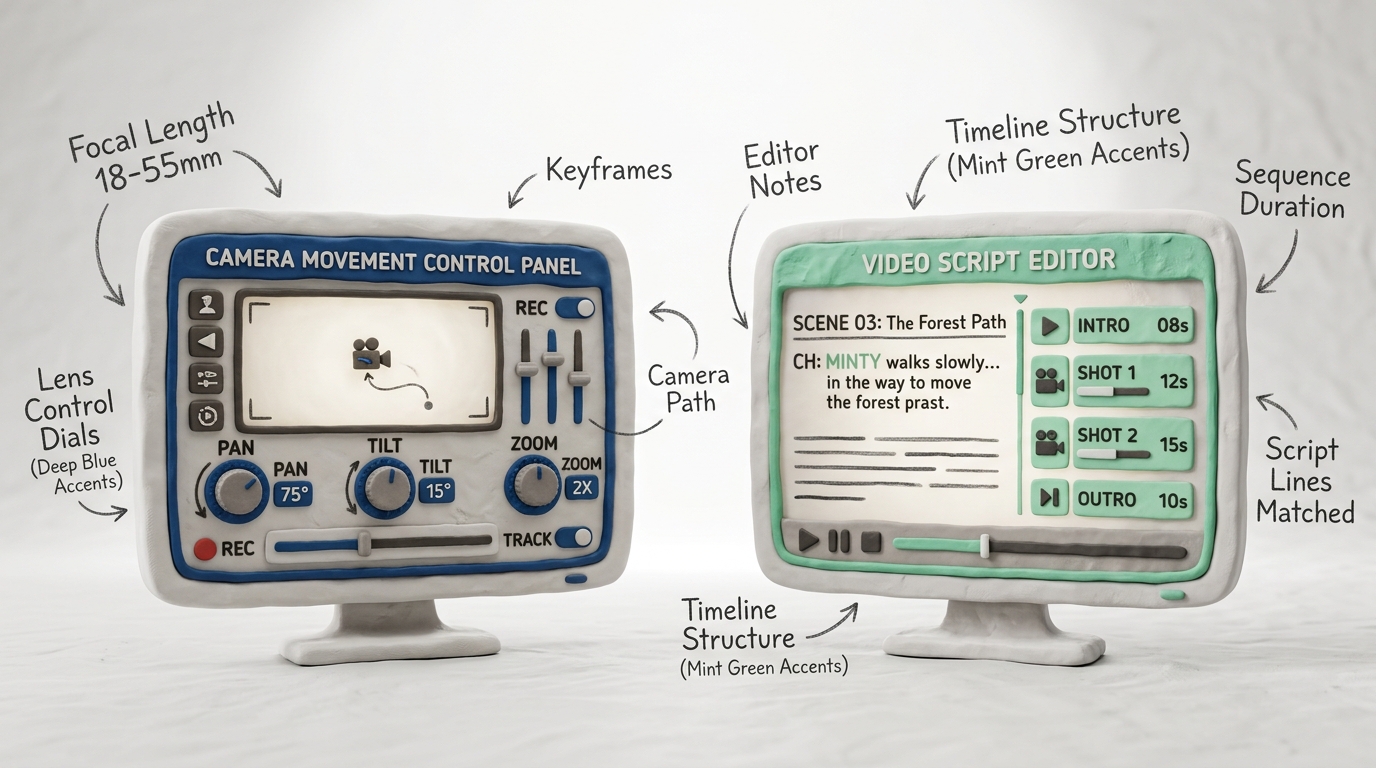
- Cinema Studio 2.5: The only AI video tool that simulates real optical physics — lens distortion, depth of field, bokeh, and motion blur behave like actual camera optics. Camera movements (dolly zoom, tracking shot, crane, handheld) are programmable, not random. This is a genuine paradigm shift for cinematic AI.
- Multi-Model Access: Higgsfield pools Kling 3.0, Sora 2, Google Veo 3.1, and proprietary models in one workspace. You pick the right model for each shot — not every platform offers this level of curation.
- LipSync Studio + Kling Avatars 2.0: Create natural talking-head videos with consistent characters. Ideal for brand spokespeople, tutorials, and narrative-driven content.
- Character Consistency (Soul ID & Photodump): Upload reference photos and Higgsfield maintains that character’s face, costume, and expression across every scene — a critical feature for short films and branded content.
- 4K Upscaling & Export: Built-in upscale pipeline means final delivery is production-ready without external tools.
InVideo: The Volume Production Machine
As detailed in our InVideo Expert Review, the platform’s key strength is throughput — turning any input into a finished video with minimal friction:
- invideo v4 Agent: The most capable text-to-video agent available in 2026. Type a prompt, paste a blog URL, or drop a script — the v4 Agent structures the narrative, selects or generates visuals, adds voiceover, and assembles a complete video up to 30 minutes long. No manual editing required for the first pass.
- 200+ Model Integrations: InVideo has the widest model roster of any platform — Sora 2 Pro, Google Veo 3.1, Kling 3.0, and 200+ additional generative models accessible from a single dropdown. This breadth is unmatched.
- Real-Time Editor: After generation, InVideo’s full editing suite lets you swap individual clips, replace voiceovers, edit captions, adjust timing, and add transitions — all without leaving the platform. The editor is the reason agencies and YouTubers choose it over pure generation tools.
- Stock Library Integration: 16M+ licensed stock clips, images, and music tracks are available directly inside the editor, dramatically reducing production time for content creators.
- Team Collaboration: Multi-seat plans with shared asset libraries, project folders, and comment threads make InVideo the agency-friendly choice.
Pricing & Value (April 2026)
Higgsfield.ai Pricing (Annual Billing)
- Free: Limited credits, standard quality, watermark.
- Pro: $17/month (billed annually) — 600 credits/month, Cinema Studio 2.5, multi-model access, 1080p export.
- Ultimate: $29/month (billed annually) — 1,200 credits/month, 4K upscale, priority rendering, LipSync Studio.
- Enterprise: Custom — Unlimited renders, API access, white-label options.
⚠️ Credit Note: Kling 3.0 and Sora 2 renders are the most expensive — a 10-second Sora 2 Pro clip at 4K can cost 40–60 credits. Plan your model usage based on your monthly credit budget.
InVideo Pricing (Annual Billing)
- Free: 10 video exports/week, watermark, standard quality.
- Plus: $25/month (billed annually) — Full v4 Agent access, all frontier models, 50 AI video generations/month, 80 GB storage.
- Max: $60/month (billed annually) — Unlimited image generation, 200 AI video generations/month, 400 GB storage, priority rendering, team seats.
- Enterprise: Custom — Unlimited everything, API, dedicated support.
✅ Value Note: InVideo’s Plus plan at $25/month is excellent value for marketers who need a complete generate-and-edit workflow. However, heavy users hitting the 50-generation limit will need to upgrade to Max quickly.
Real-World Performance (My Testing Notes)
I ran both platforms through three real production scenarios: a 60-second cinematic brand film, a 10-minute YouTube explainer, and a product ad with consistent characters. Here is what I observed:
Cinematic Quality (Higgsfield wins decisively) Cinema Studio 2.5 produces footage that genuinely looks like it was planned by a director of photography. The control over lens behavior, the way the bokeh reacts to movement, the precision of a programmed dolly zoom — none of this is replicable in InVideo. If the deliverable is a film, a high-end brand video, or anything that needs to evoke emotion through visual craft, Higgsfield has no competitor.
Production Speed (InVideo wins decisively) For the 10-minute YouTube explainer, InVideo’s v4 Agent delivered a draft video in under 8 minutes from a 600-word script input. The result needed minimal editing — clip swaps, one caption fix, and a different outro music track. For marketers and content teams measured by output volume, this is transformative. Higgsfield requires significantly more deliberate setup per shot.
Character Consistency Higgsfield’s Soul ID feature performed impressively across a 5-scene sequence — the same character face, jacket, and hair were consistent scene to scene with only minor drift at extreme camera angles. InVideo’s prompt-only approach produced noticeable inconsistency across scenes, making it unsuitable for narrative content with recurring characters.
Multi-Model Flexibility Both platforms offer Kling 3.0, Sora 2, and Veo 3.1. InVideo’s 200+ model roster edges out Higgsfield in raw breadth, but Higgsfield’s curated model selection feels more intentional — each model is optimized for the Cinema Studio workflow. For practical use, both cover the same top-tier models.
Credit Economics Both platforms have aggressive credit burn on premium models. At the Ultimate tier ($29/month), Higgsfield’s 1,200 credits support roughly 15–20 high-quality cinematic clips per month. At InVideo Plus ($25/month), 50 AI video generations is workable for most solo creators but tight for agencies. Both reward annual commitment with significant discounts.
Final Recommendation
Choose Higgsfield.ai if…
- Your deliverable demands cinematic-quality footage — brand films, short films, music videos, premium ads.
- You want director-level camera control and consistent characters across scenes.
- You work with a specific visual language and need optical physics, not random generation.
- You create talking-head or avatar-driven content and need LipSync Studio’s precision.
- Explore Higgsfield.ai Pricing & Deals for the best current offer.
Choose InVideo if…
- Your primary goal is high-volume content production: YouTube, social media, ads, tutorials.
- You need long-form video (10–30 minutes) from a script or URL with minimal manual editing.
- You work in a team or agency and need collaborative editing with shared asset libraries.
- You want the widest model roster and a full editing suite in one affordable platform.
- Explore InVideo Pricing & Deals for the best current offer.
Overall Winner in 2026?
This is one of the clearest category splits in the AI video space: Higgsfield.ai wins for cinematic quality and InVideo wins for production volume — and neither can claim the other’s territory.
If you had to pick just one: it depends entirely on your output. For agencies and content creators measured by uploads per week, InVideo is the obvious choice — the v4 Agent alone saves dozens of hours per month. For filmmakers and brand storytellers who need every frame to feel intentional, Higgsfield is non-negotiable.
The power move in 2026? Use both. Higgsfield for your premium hero content. InVideo for your high-frequency content engine.
Ready to test both with the best current deals?
Explore the full All-in-One AI Video collection with exclusive discounts here: 👉 https://aivideodiscount.com/all-in-one-aivideo/
Have you tried Higgsfield.ai or InVideo? Which one are you using right now? Share your experience in the comments below!
Want more expert comparisons? Visit our AI Video Blog for the latest breakdowns, or head back to the Home page to see the full leaderboard.